Centralized in-app support at SupplyOn : The new Help Panel
On the SupplyOn platform, we are gradually introducing the new Help Panel across our solutions. It replaces the existing help links and provides centralized, intuitive support – directly within the application.
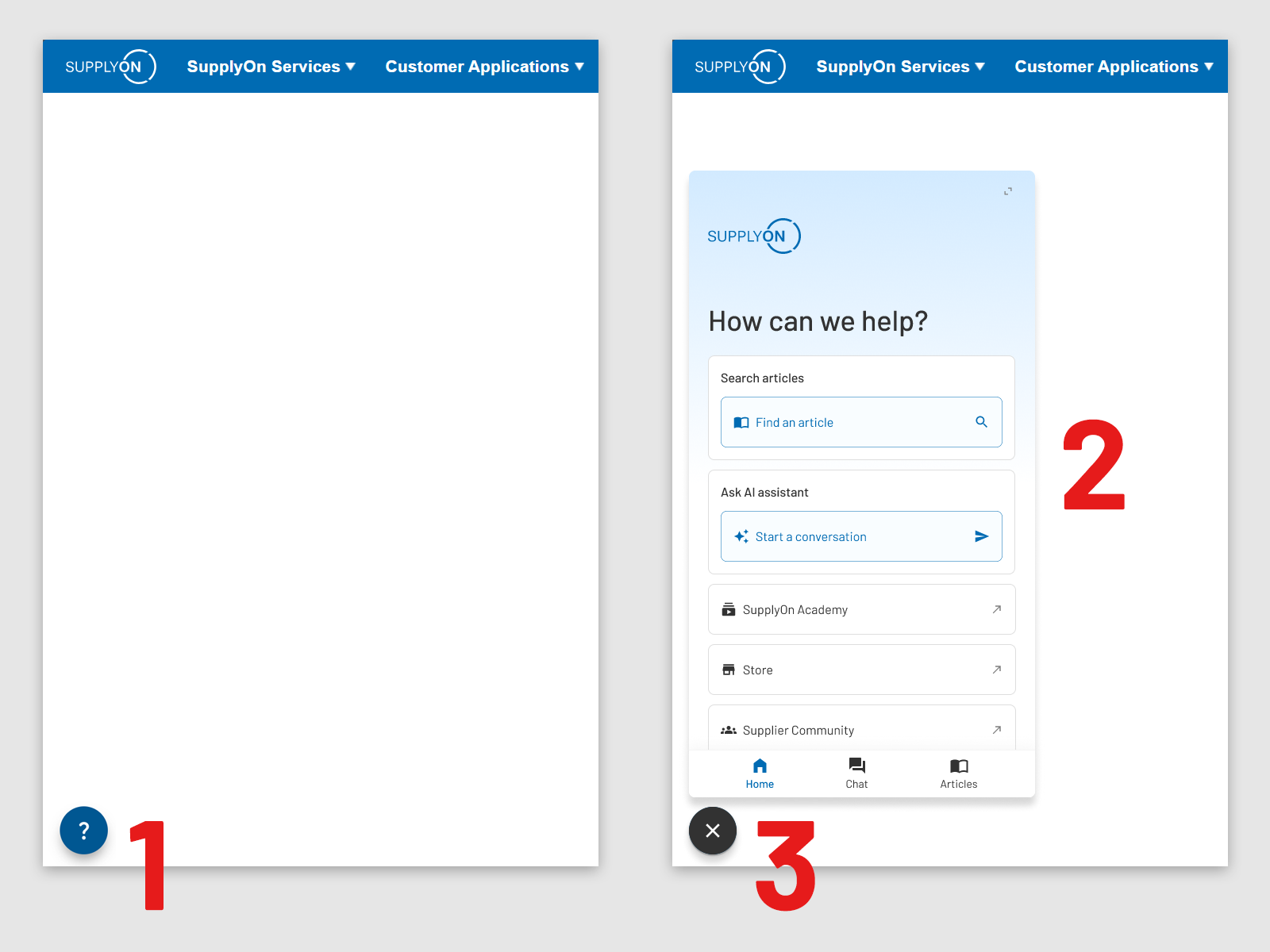
The Help Panel serves as a central entry point for help and support within the SupplyOn solution.
It offers a context-based search for self-help articles tailored to the user’s current situation, helping users quickly find relevant information without leaving their workflow. In addition, users benefit from quick access to relevant knowledge portals such as the SupplyOn Help Center , the SupplyOn Academy , the SupplyOn Store , and the Supplier Community .
In selected SupplyOn solutions, the Help Panel also includes an integrated AI Assistant (chatbot) that answers user questions directly in real time.
Important note
The Help Panel will be rolled out step by step to all SupplyOn solutions throughout 2026. Depending on the solution you are using, the feature may already be available or will be introduced in the coming months.
How to access the Help Panel
- Click the question mark icon in the SupplyOn solution, which is usually located in the bottom left corner.
- Use the various options available within the Help Panel. Please note that the AI Assistant is not available in all SupplyOn solutions.
- The Help Panel can be closed by clicking the close icon.